
Previously, we added the Snap Turn Provider to our game so that we could rotate about the environment. Our next move will be to add a Move Provider.
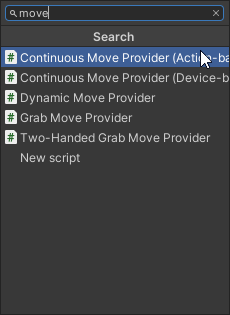
We can add the Move provider by adding a new component with the XR Origin Game Object selected. We are looking for the “Continuous Move Provider (Action-Based)” Component.
Apply the preset Action Inputs and the Locomotion System as well.
With this component, we want to add the Locomotion System to the System section like we did with the Turn Provider.
What’s new with this component, is that there is a section labeled “Forward Source”. This is referencing to what you want to use to move the Player forward. I want to use the left controller to move so I’ll place the LeftHandController Game Object in the Forward Source section.