
Zoom has live closed-captions that generate transcripts for your Zoom recordings. Before you can get the transcripts, you will need to turn this on in your Zoom account settings by following these steps.
1. Enable Zoom transcripts in your Zoom account
1. Sign-in to your zoom account on Web or Desktop
2. Open Zoom settings here https://zoom.us/profile/setting and go to: ‘In meeting (advanced)’ tab
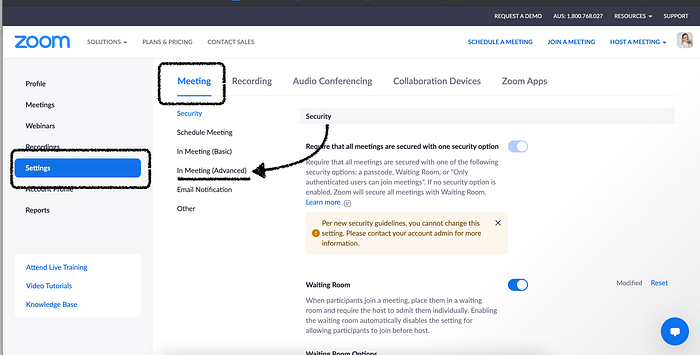
3. Enable ‘Closed captioning’ and turn on ‘Allow live transcription to transcribe meetings automatically”