
To “Run as different user” using Context Menu
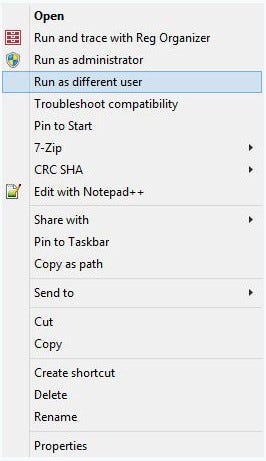
1. RMB click on any BAT, CMD, EXE, MSC, or MSI file, and choose Run as a different user.
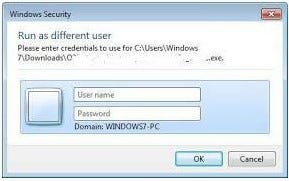
2. Now you should enter users User name and Password and press ok
3. When you will have UAC pop up just press yes
4. Now an app will be running as a new user.
To “Run as different user” from Start Application Bar
Here you can just press win button than go to the bottom left corner of your screen and right-click with your mouse or shift-left click with your touchpad and choose run as a different user.