
Task Manager is a built-in GUI-based Windows utility that allows users to see what is running on the Windows system. It also provides information on resource usage, such as how much each process utilizes CPU and memory. When a program is not responding, Task Manager is used to end (kill) the process.
We’ll give a brief overview if you’re unfamiliar with Task Manager.
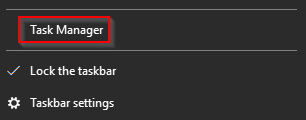
To open Task Manager, right-click the Taskbar. When the new window appears, select Task Manager (as shown below).
If you don’t have any explicitly opened apps, you should see the same message as shown below.

Weird. Not seeing much, eh? Within a Windows system, many processes are running. Click on More details.