
In this post, we’ll see how we can restore a RDS Aurora Serverless Postgres Cluster using AWS Backup Recovery Points.
Prerequisite: You should already have a RDS Aurora Serverless Postgres Cluster running with backups enabled using AWS Backup.
At least 1 backup recovery point for your RDS cluster should be available in AWS Backup.
Step 1: Go to AWS Backup and under protected resources, select the cluster you want to restore. Select a recovery point and click Restore.
Provide a value for DB cluster identifier and select same VPC,Subnet Group and DB cluster parameter group as of your original RDS cluster.
Step 2: Once the restore job is successful you’ll see your cluster as Available but reader/write endpoint will be in Creating state.
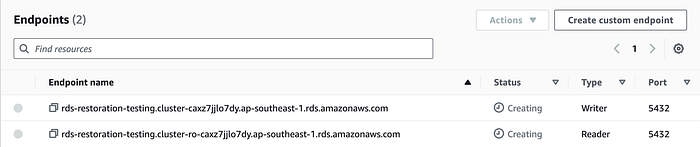
This is because “AWS Backup restores your Aurora cluster; it does not create or attach an Amazon RDS instance to your cluster”. R