
We’re glad to introduce a new bottom-to-top layout in Plumsail Org Chart for SharePoint Online.
An inverted organizational structure chart is opposite to the traditional top-to-bottom visualization of the company hierarchy.
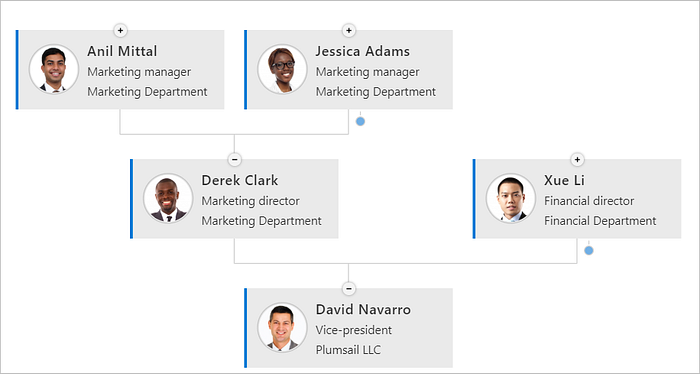
Upside-down organizational chart
If you like an idea of servant leadership, which is usually associated with an upside-down organizational structure, this new layout in Plumsail Org Chart works for you.
To place employees at the top is simple. To change the current layout, follow the steps: open the config wizard, go to the layout tab, and select Bottom to top.