
Music and sound effects are a very important part of the immersive video game experience. The music helps set the mood of the game, from tension or excitement in action-packed sequences to calm and serenity in more tranquil settings. Music can elicit emotional responses from the player enhancing the experience. Sound effects provide feedback to the player and add realism to the game, helping to firmly root the player in the game environment.
For this game, I start with the background music. Once again, Unity makes this process simple. I create an empty GameObject and rename it Audio_Manager. I then click on Audio_Manager and create another empty GameObject here and rename it Background. I add the Audio Source component.
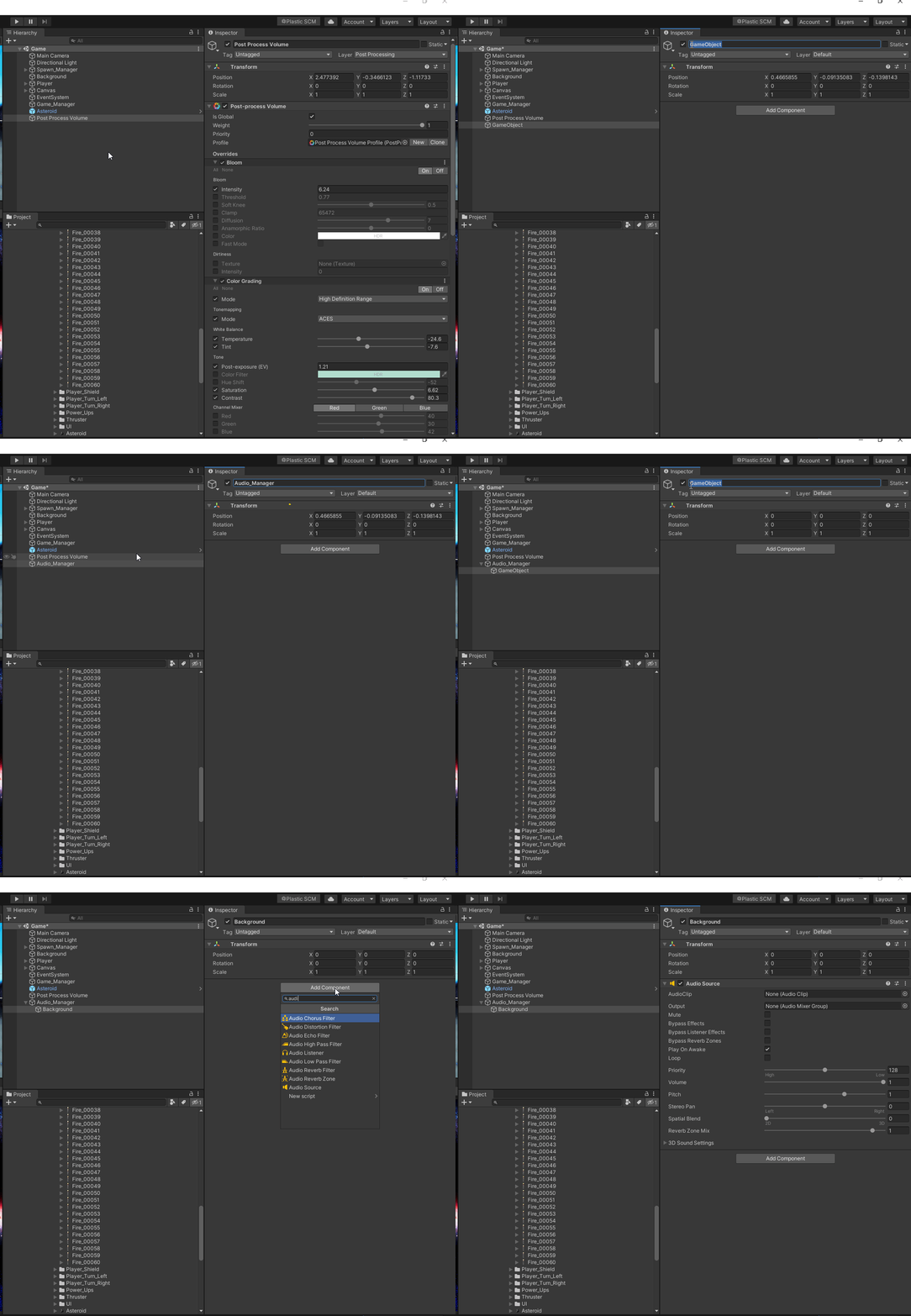
I then attach my music_background file to the AudioClip. It is automatically set to Play On Awake so the music starts as soon as the scene loads. Also make sure Loop is checked so the music continues to play on loop.