
OpenAI has been making waves in the tech world. Not too long ago, they rolled out Code Interpreter (Advanced Data Analysis) that lets you delve deep into big data without any coding. Just your natural language! Imagine becoming a data analyst overnight.
And now, they’ve outdone themselves with DALL-E 3, enabling you to create digital art using natural language. It’s like having your own personal digital canvas right in ChatGPT. Talk about leveling up your creative game!
One prompt I stumbled upon on Twitter @LearnAI_MJ was quite a brain teaser: “A painter painting a canvas, where the canvas shows the same painter painting a canvas, and so on.” Intrigued, I fed this into DALL-E 3, and voila! The result was simply stunning.
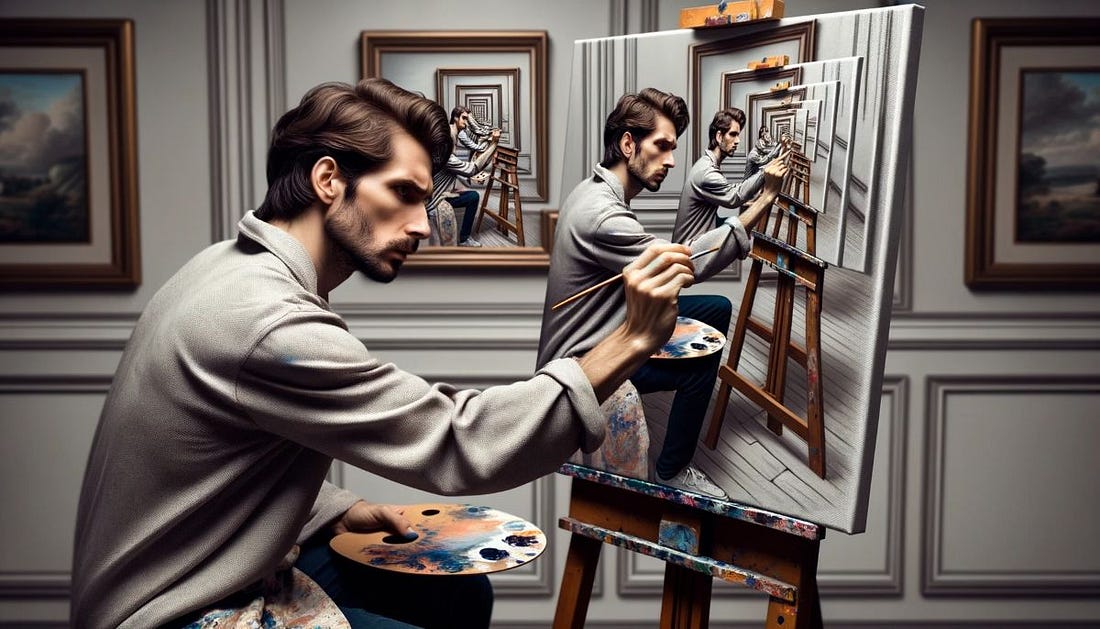
It’s fascinating to see how, in the realm of digital art, it’s our creativity, not just technology, that takes the lead.
Curious about how to harness the power of DALL-E 3 in ChatGPT? Stick around as we dive into the basics and gradually venture into the nitty-gritty.