
Alight, I use this technique usually and it helped me reduce a 900mb ISO file to a few mb .rar file.
Yeah, you heard it right a 900mb file to a mere a few mbs file, but do remember that this totally depends on the type of file.
Let me break this into 2 parts.
Part#1 : Configuring the Winrar settings.
- Step 1 : Open the winrar application.
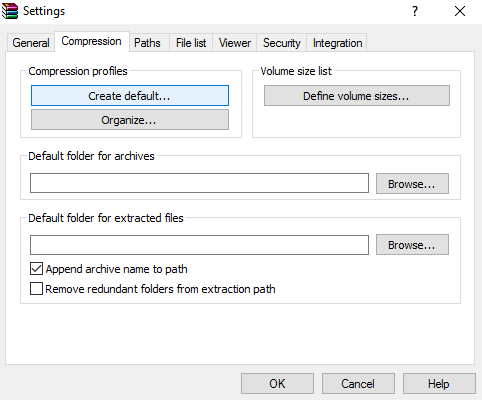
- Step 2 : Go to Options > Settings or just hold the Ctrl + S.
- Step 3 : In the settings window go to the Compression tab and under compression profiles, click on the Create Default… button.
- Step 4 : Now under the Set default compression options click on the Compression method and select Best.