
I’ve previously used Levers to activate events using the XR Lever script. In this article, I want to demonstrate how I used an animator with the trigger to activate a lever using the XR Simple Interactor.
First, I’ve created my animation for my lever to go up and down with the use of the Trigger parameter.
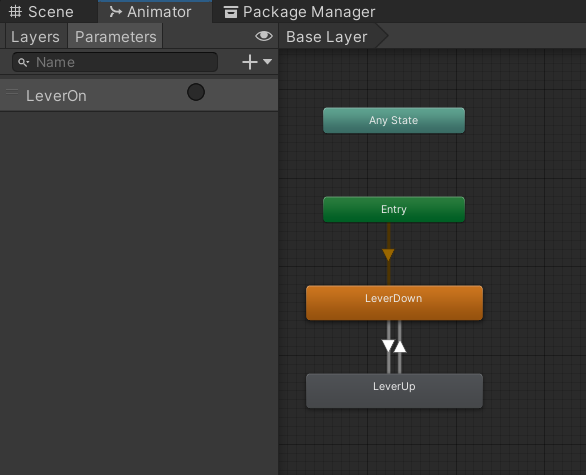
I used the condition for both of these transitions to be the trigger “LeverOn.”
Then, on my Lever, I placed a sphere collider, a rigidbody with kinematic on, and a Simple Interactor. Within the “Select” field, I want to drag the actual object called Lever1 onto this field, and then I will be able to see the drop down menu for Animator → SetTrigger(string). Then simply type in the name of the Trigger parameter used above for the animation.