
Users familiar with Fooocus will find the flexibility to choose styles at will quite convenient. There’s no need to manually configure prompts each time. The same convenience can be experienced in ComfyUI by installing the SDXL Prompt Styler.
Installing SDXL Prompt Styler
To begin, follow these steps:
1. Open the terminal in the ComfyUI directory.
2. Navigate to the ComfyUI/custom_nodes folder.
3. Use Git to download the files: git clone https://github.com/twri/sdxl_prompt_styler.git
4. Start or restart ComfyUI.
GitHub - twri/sdxl_prompt_styler: Custom prompt styler node for SDXL in ComfyUI
Custom prompt styler node for SDXL in ComfyUI. Contribute to twri/sdxl_prompt_styler development by creating an account…
How to Use
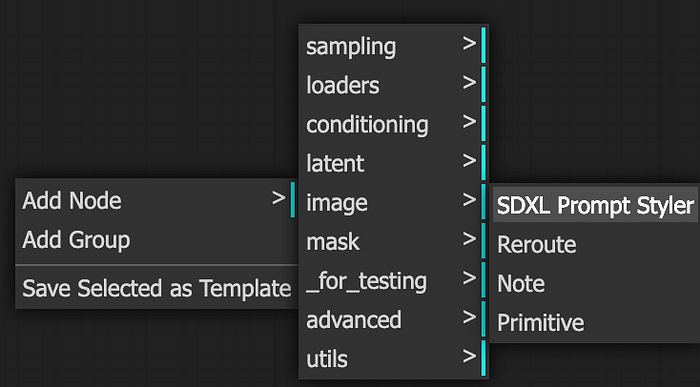
Add SDXL Prompt Styler
Add Node
- Right Click >
Add Node>utils>SDXL Prompt Styler
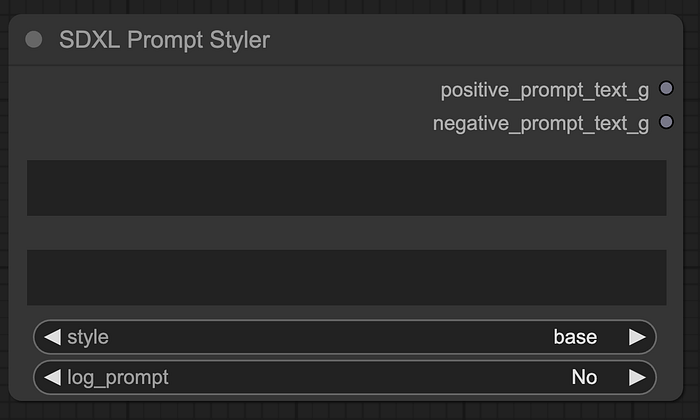
Node of SDXL Prompt Styler
- The first box represents a customized prompt. The second box is for a customized negative prompt.