
Good shooting games have explosions. So let’s implement some into my Space Shooter.
Create the Animation in Unity Editor
I created the animation in the same fashion that I have before with my power ups using the assets from GameDevHQ. In this case, I implemented an explosion sequence on my Enemy prefab. The intial set up then looked like this:
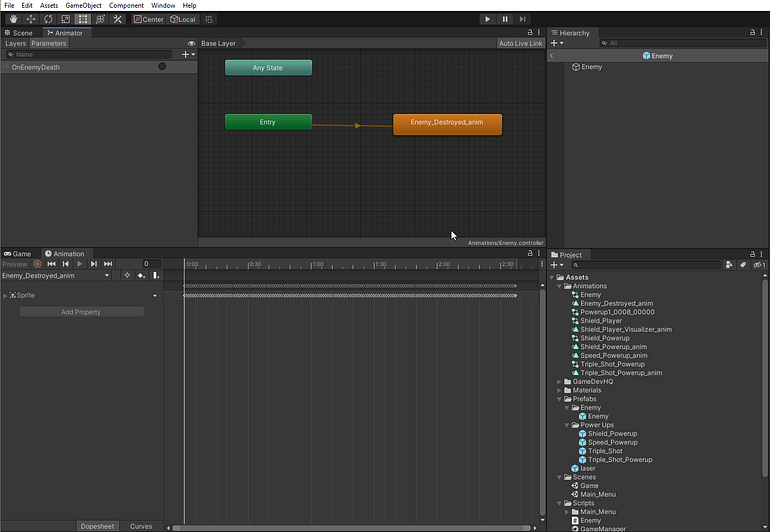
Initial Enemy explosion set up in Unity
Note: Each enemy has a unique animation controller when it’s spawned, so it’ll act independently per Enemy instance.
Now with this set up, it made the animation run nicely. But it ran as soon as the Enemy spawned, as you can see by the Animator layers. Upon entry, the animator runs right to my new Enemy_Destroyed_anim. So next step was to add a transition in the Unity Editor to make the animation conditional.
First I created and Empty object as a non-animation to occur upon entry. Then I implemented a transition from the Entry to the Empty object, then from the Empty object to the explosion animation. I named the trigger OnEnemyDeath.